Chromastat
A closer look at the color in your photos.
Keep a closer eye on color while you edit in Lightroom. Choose Find Lightroom once, and Chromastat follows the picture on screen with live color and exposure views. Keep a small view beside your photo, pin it over the histogram, or arrange a workspace on another screen.
v0.1.1 · Windows x64 · GPLv3
Alongside your Lightroom edit.
Keep the photograph in view and give its color a little space of its own.
Color beside the photo
Lightroom and the Photo workspace together, with a real photograph feeding the scopes.
A view right where you want it
A detached color view pinned beside Lightroom while you edit.
Watch the edit change
The same Lightroom photo before and after a color adjustment, with the corresponding scope changes.
Keep the views you need.
Start with the Photo layout, then make it yours. Keep the views you find useful, move them around, and give a favorite one more space. There are 32 views to explore, with saved starting layouts for different tasks.
Want a color view next to your photo? Press Ctrl+D or drag its header outside the workspace. You can resize it, pin it above other windows, and bring it back whenever you like.
Your arrangement saves automatically. Keep separate layouts for different editing sessions so you can return to a setup that feels comfortable.
Curious about the different views?
See what the color views show
| Views | What you inspect |
|---|---|
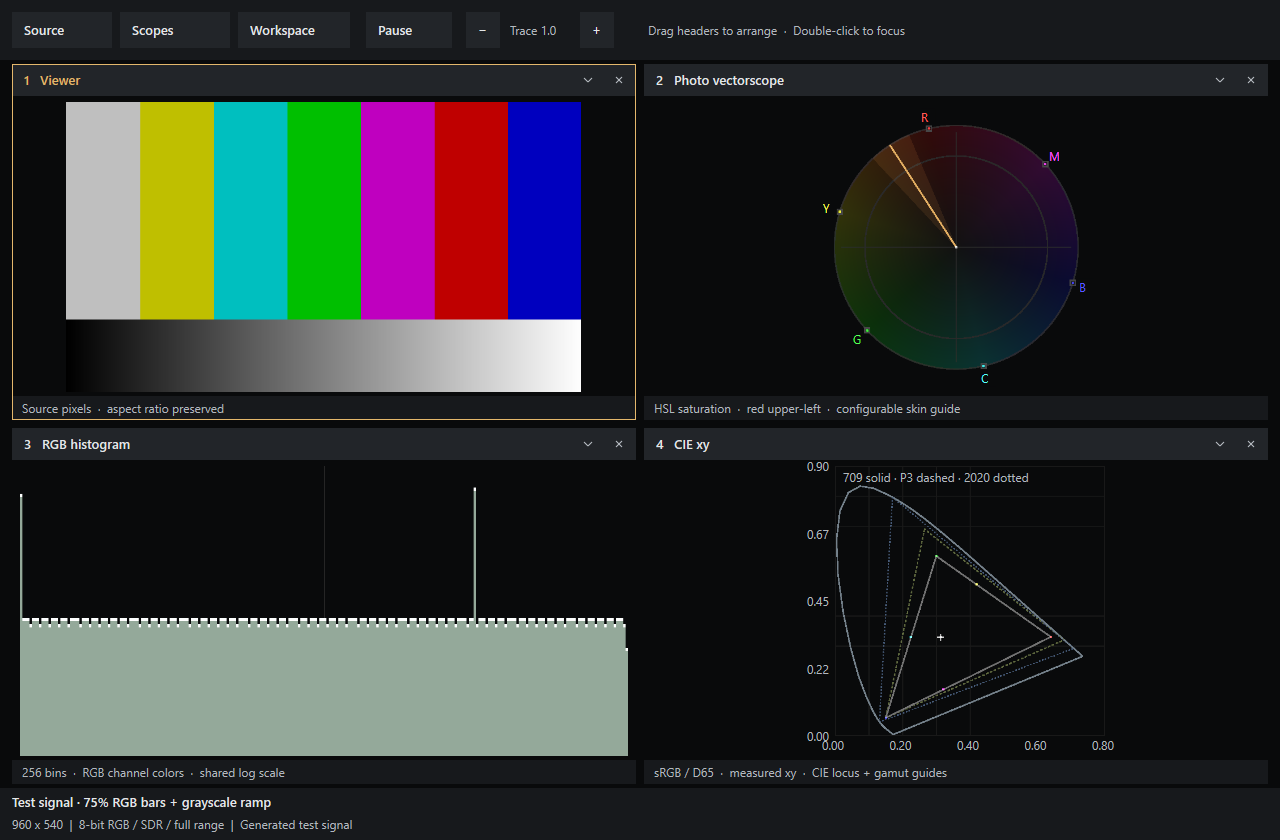
| Waveforms and histograms | Luma and channel distributions; histograms with 256, 1,024 or 4,096 analysis bins. |
| Photo and broadcast vectorscopes | HSL saturation or BT.709 chroma, with configurable guides. |
| CIE xy / u′v′ and 3D plots | Chromaticities under sRGB/D65 assumptions, gamut guides and orbital RGB views. |
| Snapshots and frame difference | A frozen reference beside the live source, or changes between fresh frames. |
| LUT preview | Preview a 1D or 3D .cube transform; the other scopes continue to inspect the original signal. |
A few things to know.
Chromastat looks at the picture displayed on your screen. It does not read the original RAW file, and HDR or color-managed editing needs care.
Capture and color details
Screen capture supplies 8-bit, full-range SDR RGB. The scopes measure displayed pixels, not camera RAW data. CIE and exposure calculations assume sRGB; ICC, OCIO and HDR transforms are not implemented. More histogram bins refine analysis but cannot recover missing source precision.
Source → Find Lightroom prefers the secondary loupe window when it is open. The main window uses automatic photo detection; if the wrong area is included, select an exact screen region. Keep floating scopes outside that region if your Windows capture path includes them.
Get Chromastat.
Download the Windows build and open Lightroom. In Chromastat, choose Source → Find Lightroom, pick the views you need, and save your layout for the next edit.
The build requires Windows 10 version 2004 or newer, a Direct3D 11 capable GPU and the Microsoft Visual C++ x64 Redistributable. It is unsigned and may trigger a Windows publisher warning.
Chromastat is an independent project by Amr Zriek, licensed under GPLv3. Third-party CIE data has separate attribution. Lightroom is a capture source; Chromastat is not affiliated with Adobe or Time in Pixels.
Download for Windows